

Most small and mid-sized Shopify merchants should fulfill orders themselves through Shopify Admin, using shipping profiles and correctly assigned fulfillment locations, until order volume, error rates, or international shipping needs outgrow manual capacity. Before anything else, check your shipping profiles and fulfillment locations in Shopify Admin. Only after that's dialed in should you evaluate a 3PL or a purpose-built tool like OrderKrab, and it's worth knowing that pickup-point apps like PickupBird exist for exactly this kind of scaling decision.
TL;DR:
- Manual fulfillment is suitable for up to 50 to 100 orders daily, mainly domestic, with inventory managed through Shopify shipping profiles.
- Automating fulfillment benefits merchants with over 100 orders per month once barcode scanning and structured workflows are in place to reduce errors and speed up processing.
- Incorporating pickup points and parcel lockers can significantly increase conversion rates, especially in Baltic markets, by giving customers flexible delivery options.
- Choosing between self-fulfillment, 3PL, or hybrid models depends on volume, staffing, and international needs, with careful cost and efficiency comparisons before switching.
- Software like OrderKrab offers barcode confirmation, multi-carrier label printing, and AI assistance to improve order handling time and accuracy at scale.
Table of Contents
- Which Shopify Order Fulfillment Method Fits Your Business?
- What Are the Steps in the Shopify Order Fulfillment Process?
- How Do You Set Up Shipping Profiles and Fulfillment Locations?
- Should You Automate Order Fulfillment, and When?
- Do Shopify Stores Need Pickup Points and Parcel Lockers?
- How Do You Buy and Print Shipping Labels on Shopify?
- How Should You Handle Returns and Exchanges?
- When Should You Move From Self-Fulfillment to a 3PL or Software?
- OrderKrab: A Look at Software-Driven Fulfillment
- My 30/60/90-Day Plan for Fixing Fulfillment
- Ready to Cut Your Fulfillment Time?
- Sources
- FAQ
Which Shopify Order Fulfillment Method Fits Your Business?
Three models cover almost every Shopify store: self-fulfillment, third-party logistics (3PL), and a hybrid mix of both. Each one solves a different problem, and picking the wrong one wastes money either through idle labor or unnecessary outsourcing fees.
- Self-fulfillment works best under roughly 50 to 100 orders a day, with a manageable SKU count and mostly domestic shipping. You keep full control over packing quality and shipping costs, but you own every labor hour.
- 3PL fulfillment makes sense once order volume, warehouse space, or staffing becomes the bottleneck. Lithuanian providers like ShipAway and Logismart integrate directly with Shopify, syncing stock and pulling orders automatically, then handling pick, pack, and returns on your behalf.
- Hybrid models let you fulfill fast-moving SKUs in-house while routing bulky, seasonal, or international orders to a 3PL or drop shipping on Shopify through a supplier network.
The trade-off is consistent across all three: more control usually means more labor, while more outsourcing means less margin per order but fewer headaches.
What Are the Steps in the Shopify Order Fulfillment Process?
Every order moves through the same sequence, whether you pack it yourself or a warehouse three states away does it for you. Shopify tracks this with order statuses that shift from "Unfulfilled" to "In progress" to "Fulfilled" as each stage completes.
- Order placement. The customer checks out and the order lands in Shopify Admin.
- Payment capture. Funds are captured automatically or manually, depending on your settings.
- Order routing. Shopify assigns the order to a fulfillment location based on inventory availability and your routing rules.
- Pick and pack. Staff or warehouse partners pull the SKUs and prepare packaging.
- Label and ship. A shipping label is generated and the parcel is handed to a carrier.
- Tracking and notification. Shopify updates the order status and notifies the customer automatically.
- Returns, if needed. Stock reenters inventory and refunds or exchanges are processed.
The two timings worth tracking are order-to-fulfillment (how long an order sits before packing starts) and fulfillment-to-shipping (how fast it leaves once packed). A widening gap in either one usually points straight at the bottleneck.
How Do You Set Up Shipping Profiles and Fulfillment Locations?
Shipping profiles tell Shopify which rates and rules apply to which products, and getting this wrong is one of the most common causes of checkout errors. Shopify supports up to 99 custom shipping profiles, which is more than enough to separate, say, oversized furniture from small accessories.
- Group products by weight, dimensions, or origin location, then build a profile for each group.
- Add every warehouse or store location you fulfill from, and set a priority order.
- Use routing rules such as "ship from closest location" to cut down on split fulfillments, which happen when no single location can cover the full order.
- Assign correct shipping rates to each profile so customers never see a $0 or wildly wrong shipping quote.
After setup, run a short checklist: confirm inventory sync across every location, double check shipping rate assignments, and place one test order to watch it move through the full cycle.
Pro Tip: Place your test order using an address near your least-prioritized location. That's the fastest way to catch a routing rule that's quietly sending orders to the wrong warehouse.

Should You Automate Order Fulfillment, and When?
Automatic fulfillment is genuinely useful, but only once your physical workflow can keep up with it. Digital goods and orders handled entirely by a full-service 3PL are safe candidates for automatic fulfillment because there's no picking ambiguity. Pre-orders, backorders, and any multi-location setup without barcode scanning are not.
The sequencing matters more than most merchants assume. Barcode scanning and mobile pick lists reduce pick and pack errors far more reliably than adding warehouse staff, and that accuracy layer should go in before you flip on automatic fulfillment, not after. Skipping straight to automation without those controls is how merchants end up overselling stock they don't actually have.
- Turn on barcode confirmation and mobile pick lists first.
- Sandbox any new automation rule in a test store or on a small SKU subset before rolling it out.
- Run a pilot on 5 to 10% of order volume and watch on-time delivery and order-to-fulfillment metrics closely.
- Keep fraud and payment checks active even after fulfillment is automated. Speed shouldn't come at the cost of catching a bad order.
Pro Tip: If your order-to-fulfillment time doesn't improve within the first two weeks of a pilot, the problem usually isn't the automation rule. It's a physical process gap the automation is now exposing faster.
Merchants scaling past roughly 100 orders a month tend to see the clearest return from this sequence: barcode scanning and structured pick and pack workflows first, full automation second.
Do Shopify Stores Need Pickup Points and Parcel Lockers?
Locker-first delivery isn't a nice-to-have in the Baltics; it's close to an expectation. Shoppers recognize carriers like Omniva, Venipak, LP Express, and Lietuvos paštas, and a checkout that only offers home delivery leaves conversion on the table because it doesn't match how people actually shop.
- Apps like PickupBird add pickup-point selection directly into Shopify's Cart and Checkout, showing an interactive map and suggesting the nearest locker automatically.
- Enable cash-on-delivery support and multi-carrier label printing if your customer base expects it, since both are common asks in these markets.
- Baltix similarly documents locker-first flows for Lithuania and ties visible pickup options in checkout to real conversion gains.
- Adjust packing for parcel-locker size limits and make sure return labels are just as easy to generate as outbound ones.
Offering lockers changes your packing rules slightly (smaller boxes, sturdier seals for drop-off handling) but the conversion upside typically outweighs the adjustment.
How Do You Buy and Print Shipping Labels on Shopify?
You've got two real paths here: buy labels directly through Shopify's supported carrier rates, or connect your own carrier contracts through an app so you keep your negotiated pricing. The second option matters once volume gets high enough that your contract rates beat Shopify's built-in ones.
- Use Shopify's built-in label purchasing for straightforward, lower-volume shipping with supported carriers.
- Bring your own contracts through carrier integrations like Omniva, LP Express, or FedEx once your negotiated rates undercut default pricing.
- Print in bulk during high-volume periods rather than one at a time, and manifest shipments daily so carriers can plan pickups.
- Confirm tracking numbers sync back to Shopify automatically so customer notifications go out without manual work.
A basic thermal label printer pays for itself quickly once you're printing more than a handful of labels a day.
How Should You Handle Returns and Exchanges?
Returns either get absorbed by your own team or handed to your 3PL, and that decision needs to be explicit before problems show up, not after. A vague returns policy creates more support tickets than almost any other part of fulfillment.
- Publish a clear returns window and restocking fee policy on your Returns page.
- Build a process for physically receiving returned stock and updating Shopify inventory the same day, so oversells don't happen on items that are actually back in stock.
- Set a target refund timeline, ideally under five business days from receipt.
- Send status updates at each stage: received, inspected, refunded, so customers aren't left guessing.
When Should You Move From Self-Fulfillment to a 3PL or Software?
A few signals reliably show up before merchants make the switch, and catching them early avoids a scramble later. Consistent order volume above your team's comfortable daily capacity, a rising error rate on picks, new international shipping demand, or simply running out of staff hours are the four to watch.
- Calculate your true per-order cost. Add labor, packaging, label costs, and average return-handling cost, then divide by monthly order volume.
- Compare against 3PL or software pricing. Pull quotes based on your actual SKU mix and order profile, not a generic estimate.
- Run a small pilot before committing. Pick 10 to 20 representative SKUs, test routing and label generation, and agree on SLA expectations upfront.
- Track pilot metrics closely. Watch order-to-fulfillment time, error rate, and shipping cost per order for at least two to four weeks before deciding.
OrderKrab: A Look at Software-Driven Fulfillment
Orderkrab was built around the same principles this guide has covered: barcode-confirmed picking, multi-carrier label generation using merchants' own carrier contracts, and AI-assisted resolution when an order hits an exception. It integrates directly with Shopify and WooCommerce, and pairs mobile pick lists with real-time analytics so bottlenecks show up before they become backlogs.
The software states an average order handling time as a benchmark against manual, non-barcode workflows. Merchants typically pilot it the same way this guide recommends testing any new system: start with a small SKU set, turn on barcode scanning, and measure order-to-fulfillment time before and after.
My 30/60/90-Day Plan for Fixing Fulfillment
In the first 30 days, audit every shipping profile and fulfillment location, then run test orders until routing looks clean. By day 60, add barcode scanning, connect a pickup-point app, and automate label printing for batch runs. By day 90, run the per-order cost comparison and pilot either a 3PL or a tool like OrderKrab on a limited SKU set.
— Julius
Ready to Cut Your Fulfillment Time?
If you've been through the setup steps above and you're still watching pick and pack eat your afternoons, Orderkrab is built to close that gap. It combines mobile pick lists, barcode confirmation, and AI-assisted issue resolution into one workflow that connects straight to your Shopify store, and it lets you keep using your own carrier contracts for multi-carrier label printing instead of locking you into someone else's rates.
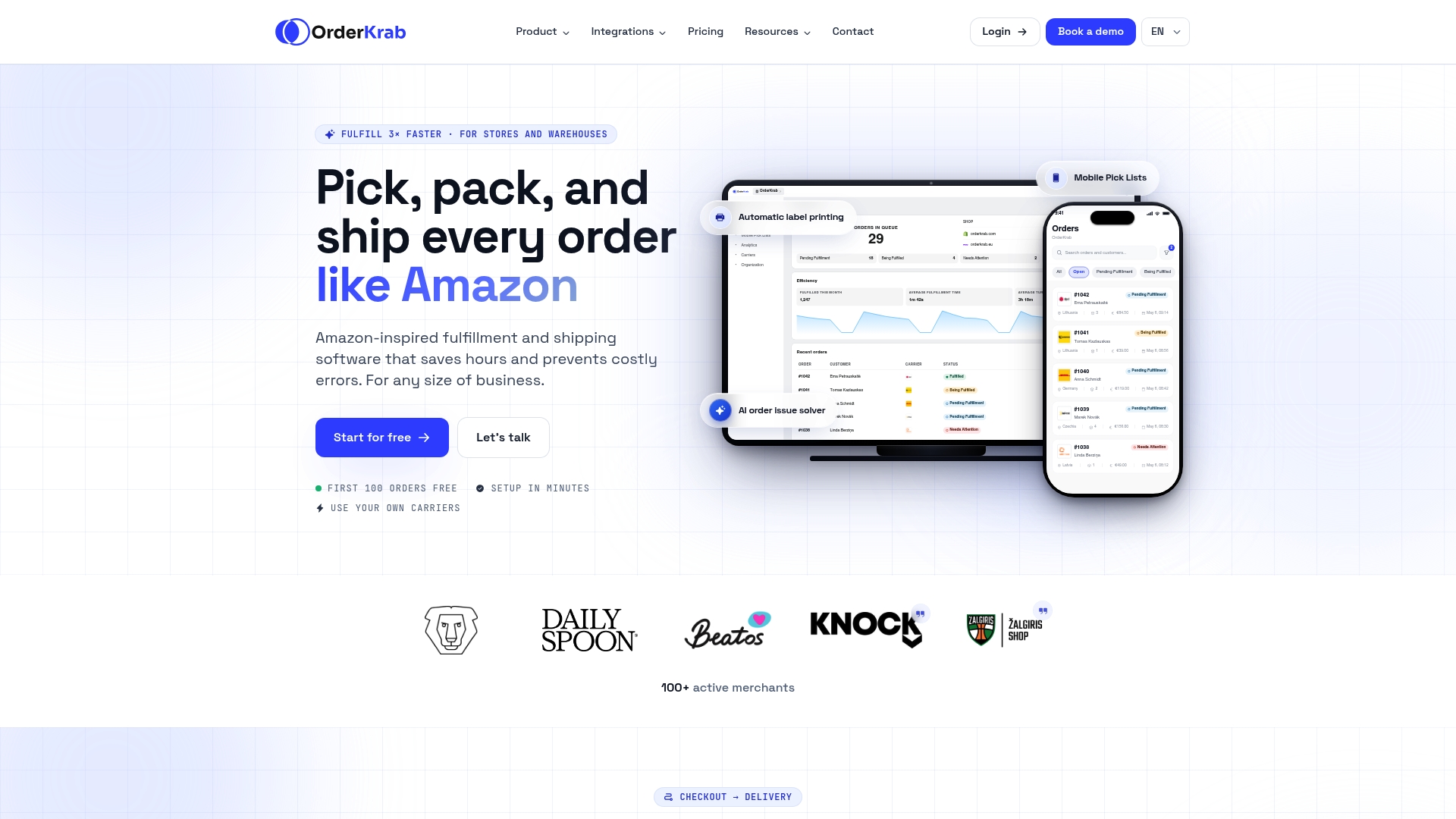
There's a free tier for up to 100 orders, so you can test the barcode and pick-list workflow on real orders before paying anything. Beyond that, per-order pricing runs 0.08 to 0.11 euros per order, and merchants running full warehouse operations can look at the WAREHOUSE plan, which starts from 399 euros per month with 0.07 euros per order on top. Start by piloting a small batch of SKUs through OrderKrab's pricing page and compare your order-to-fulfillment time before and after switching the workflow on.
Sources
- Setting up shipping profiles — Shopify Help Center
- Order fulfillment and order processing guide — Shopify Blog
- PickupBird — Lithuania
- Pickup points in Lithuania for Shopify | Baltix
FAQ
What Does "Order Fulfilled" Mean on Shopify?
"Fulfilled" means the order has been picked, packed, and handed off to a carrier, with a shipping label generated in the system. It's the final stage in Shopify's order status flow, which moves from "Unfulfilled" through "In progress" before reaching "Fulfilled."
Should I Automatically Fulfill Orders on Shopify?
Automatic fulfillment works well for digital goods or orders handled entirely by a full-service 3PL, since there's little room for a picking error. For anything involving multi-location inventory or manual picking, add barcode scanning and mobile pick lists first, since that sequencing meaningfully cuts down on oversells and mis-picks.
How Long Does It Take to Fulfill an Order on Shopify?
Fulfillment time depends entirely on your workflow, but the two numbers worth tracking are order-to-fulfillment time and fulfillment-to-shipping time. Merchants using structured, barcode-based picking tend to see much tighter and more predictable timings than those relying on manual lookups, and some tools benchmark much faster handling times per order.
What Does "Order Fulfillment" Mean?
Order fulfillment covers everything from receiving a customer's order to getting it into their hands: payment capture, inventory prep, picking, packing, shipping, and handling any resulting returns. On Shopify specifically, this process can be run manually, automated in Shopify Admin, or outsourced to a 3PL like ShipAway or Logismart depending on your volume and staffing.